Campaigns
A campaign, product by product
All figures on the screens are demo data.
The problem
Brands and sellers wanted to promote their products on eva.ua themselves: launch placements, follow the results, manage the budget. For EVA it is a new source of revenue.
Two sides use it: the advertiser, and EVA’s team, which creates and moderates the accounts.
What changed
-
An auction, explained in plain steps
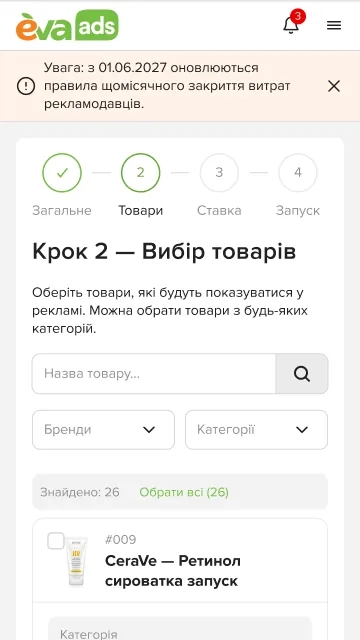
A campaign is made in four steps: General, Products, Bid, Launch. The name comes with a hint on how to make it clear; products come from EVA’s catalogue with search and brand and category filters, the chosen ones listed on the right; then the bid and budget, and a summary when it is live.
Bids, budgets and moderation statuses are reduced to steps and hints in the language of the business.
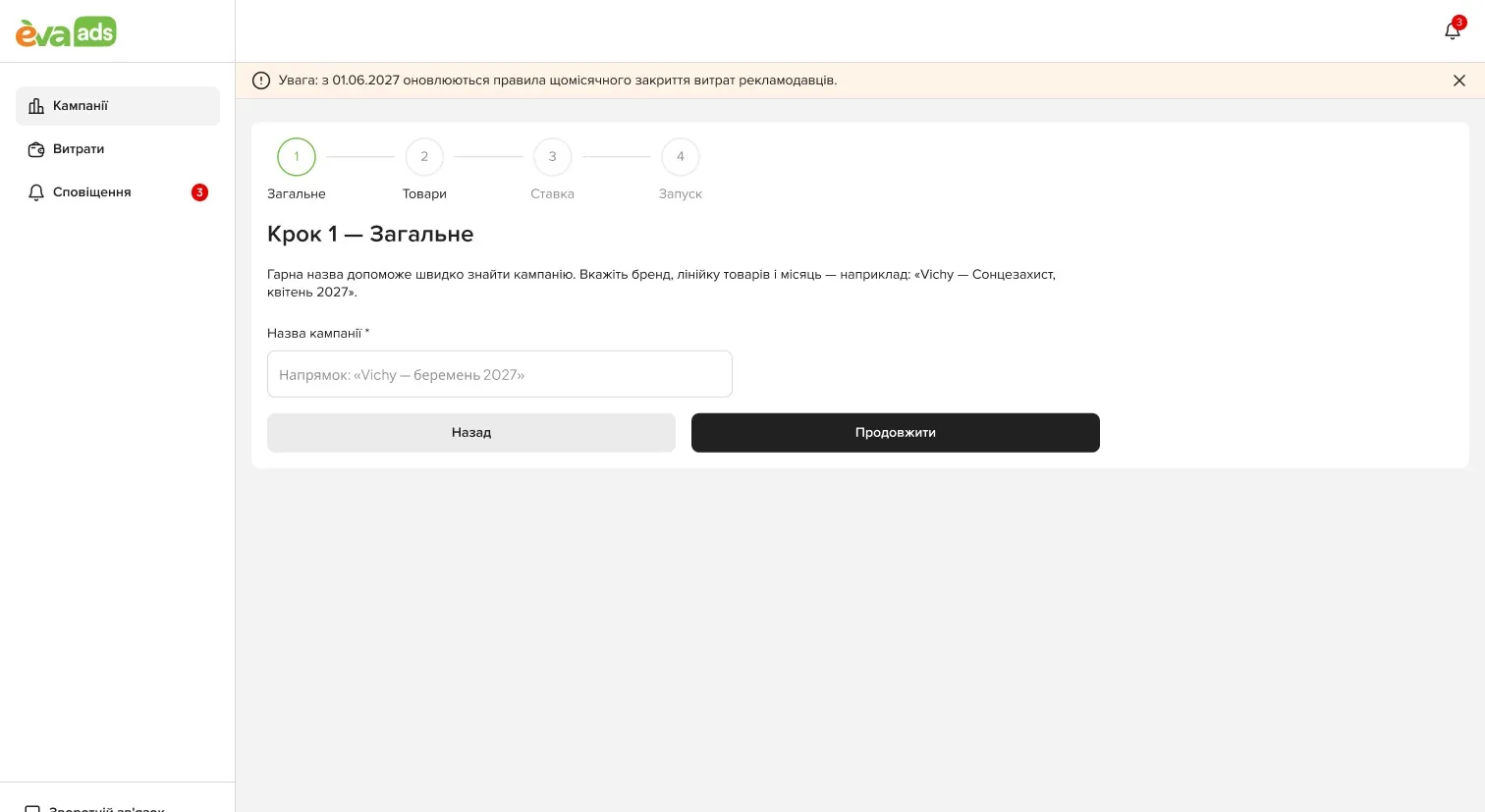
1. General 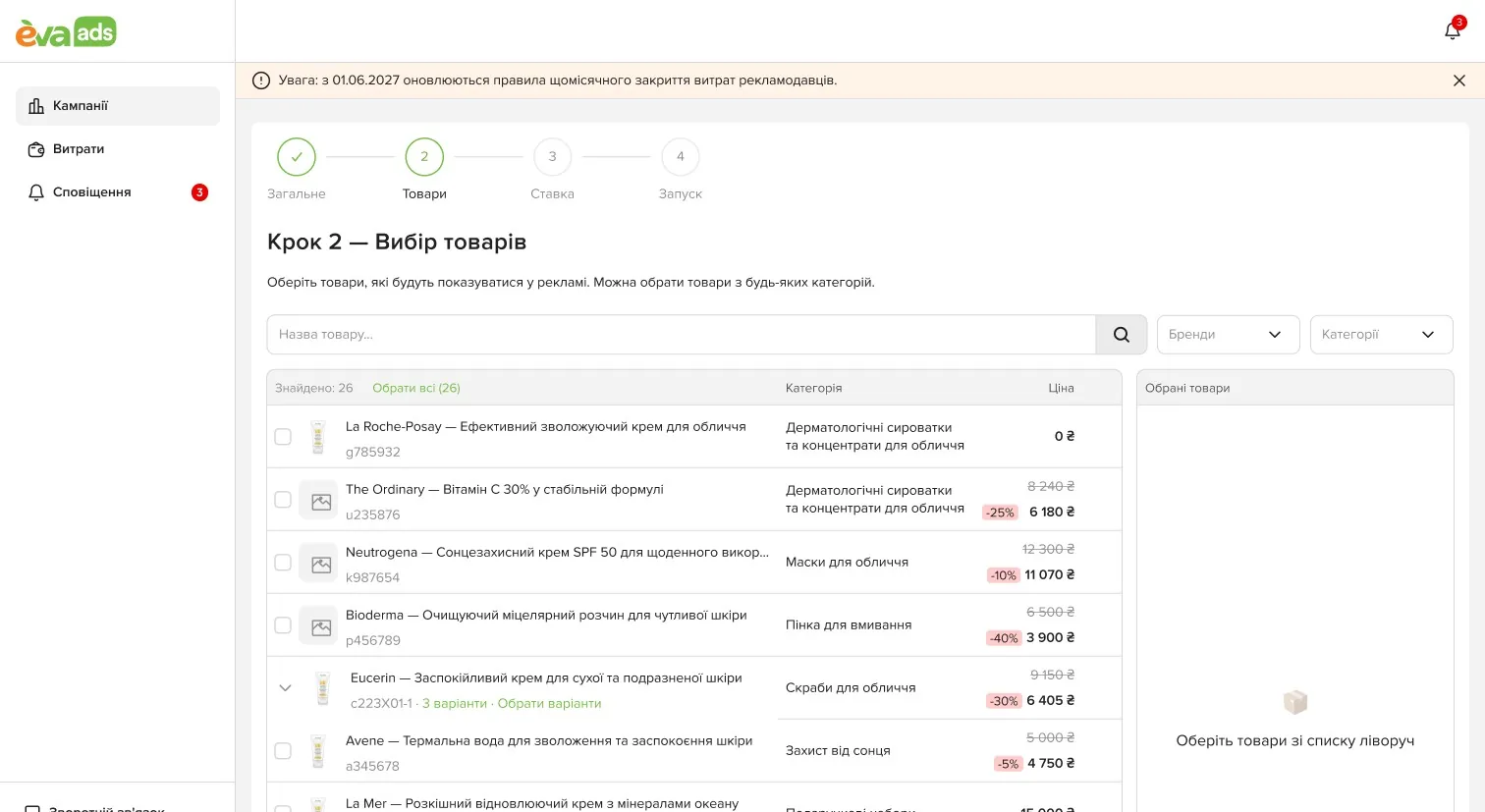
2. Products 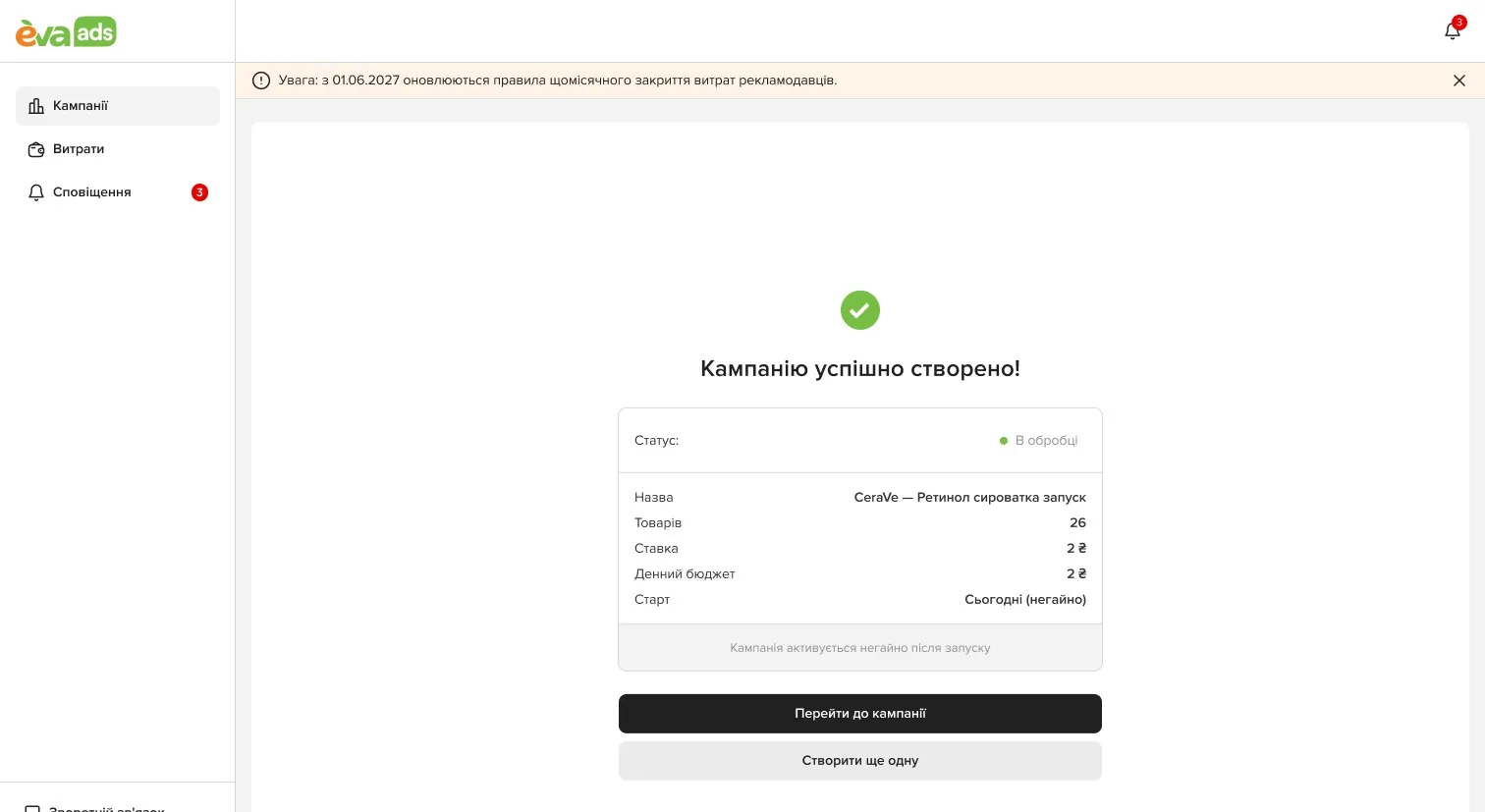
3. Launched: the summary -
A table built for dozens of campaigns
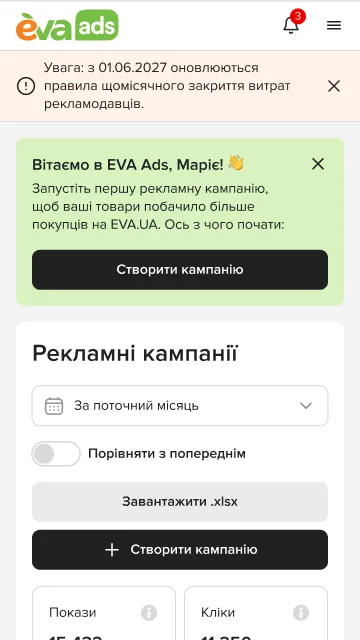
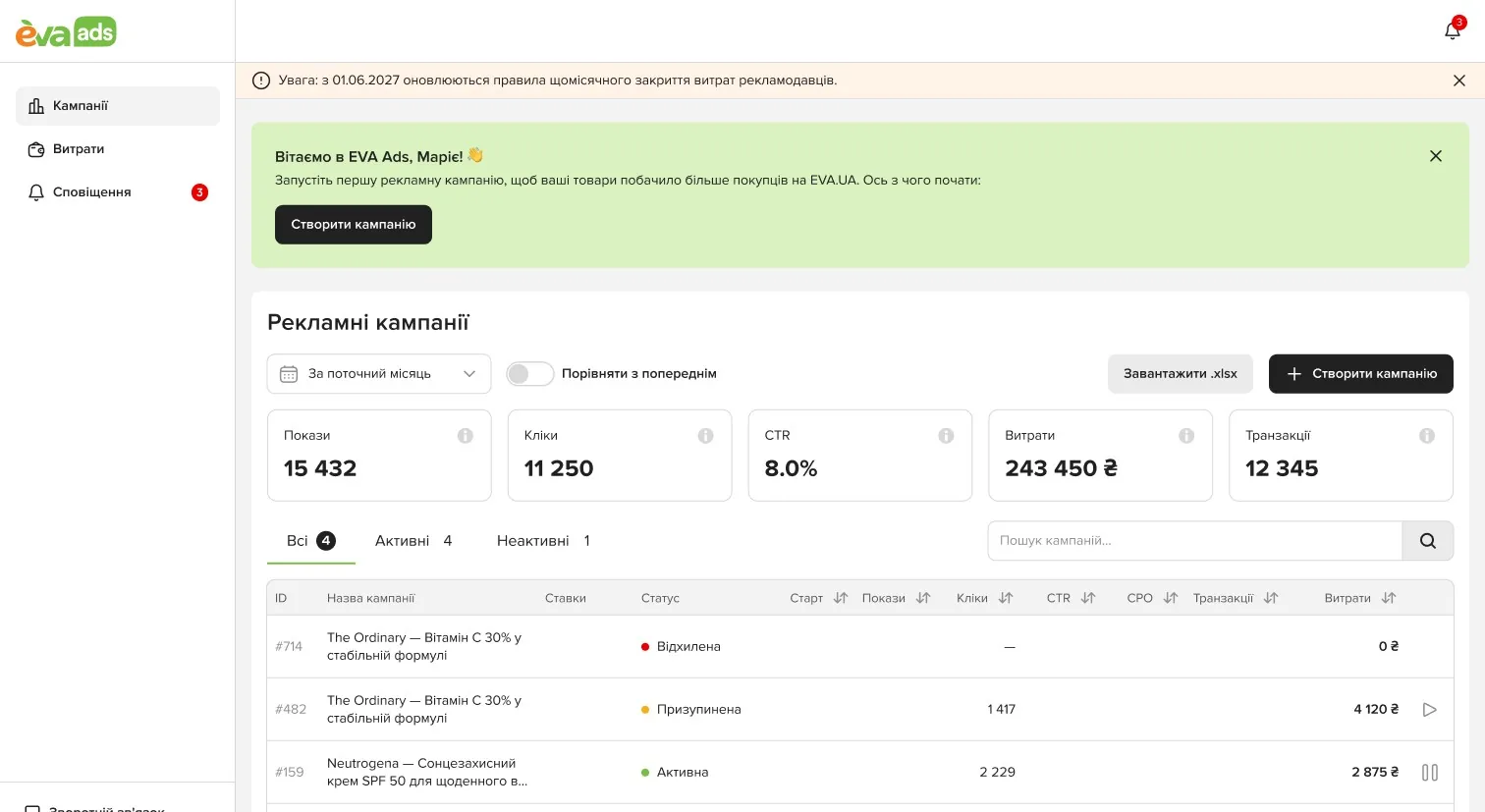
Impressions, clicks, CTR, spend and transactions for the period, compared with the previous one; tabs by status (active, paused, rejected, in moderation); sorting, filters and colour statuses; export to .xlsx.
The campaigns table: totals for the period, tabs by status, export -
The next action, where the number is
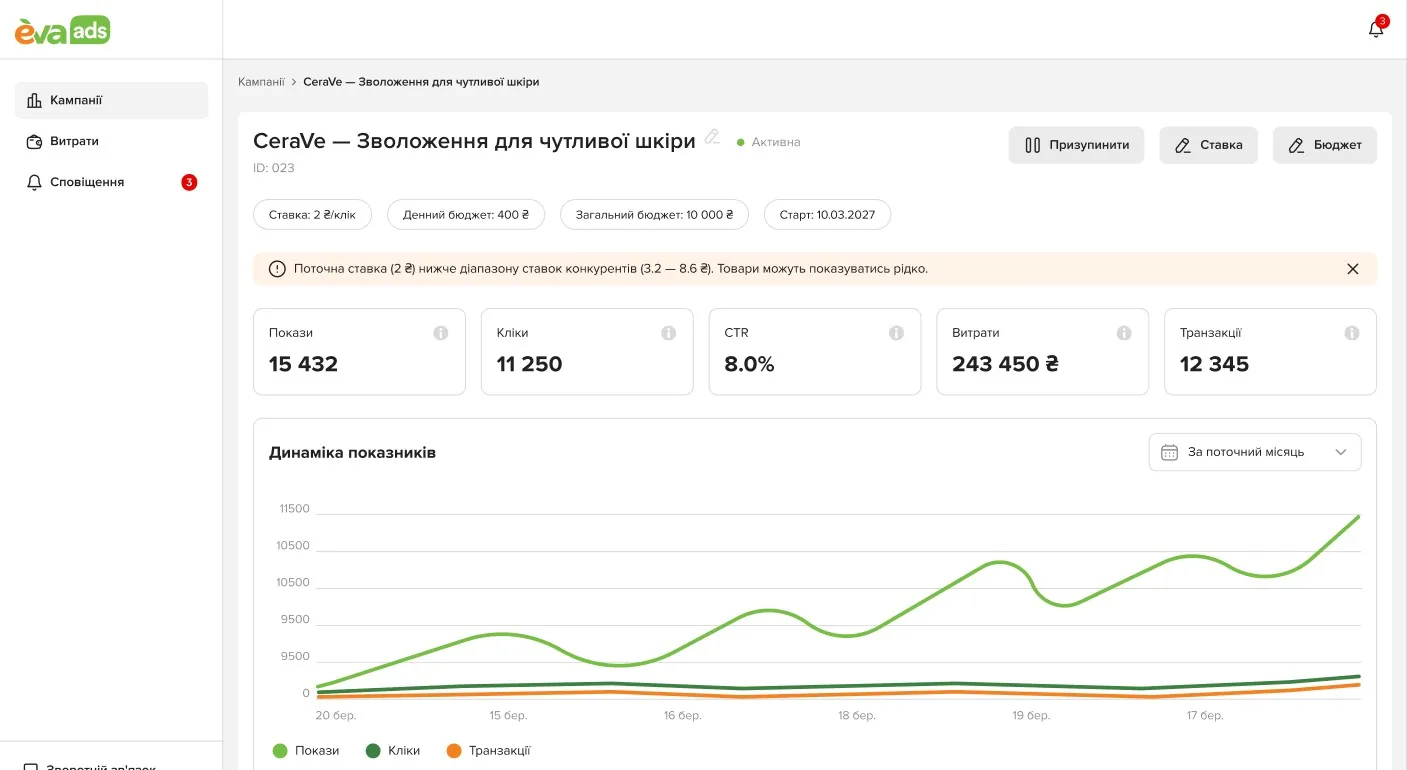
A campaign’s page charts its measures and lists every product with its stock, impressions, clicks, CTR and spend, with Pause, Bid and Budget at hand. When a bid is below the competition’s, it says so: the product will show less often.
A campaign: its charts, and every product with Pause, Bid and Budget -
Money, month by month
Spend by month, with and without VAT.
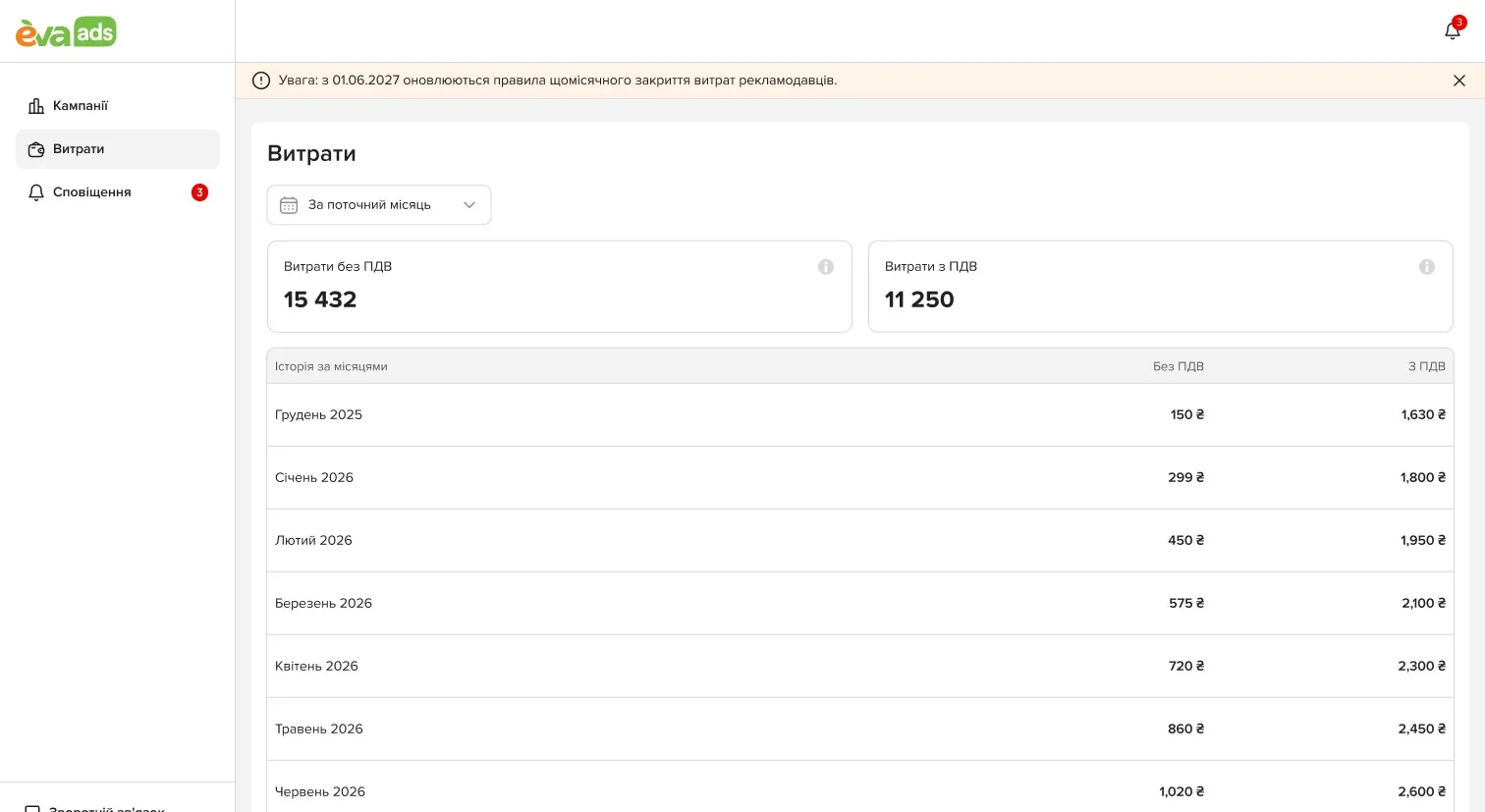
Spend by month, with and without VAT
The admin side
On the phone